- Published on
Calendar Mirror: Getting Home Assistant Calendars Onto an Echo Show
- Authors

- Name
- Susanne Moog
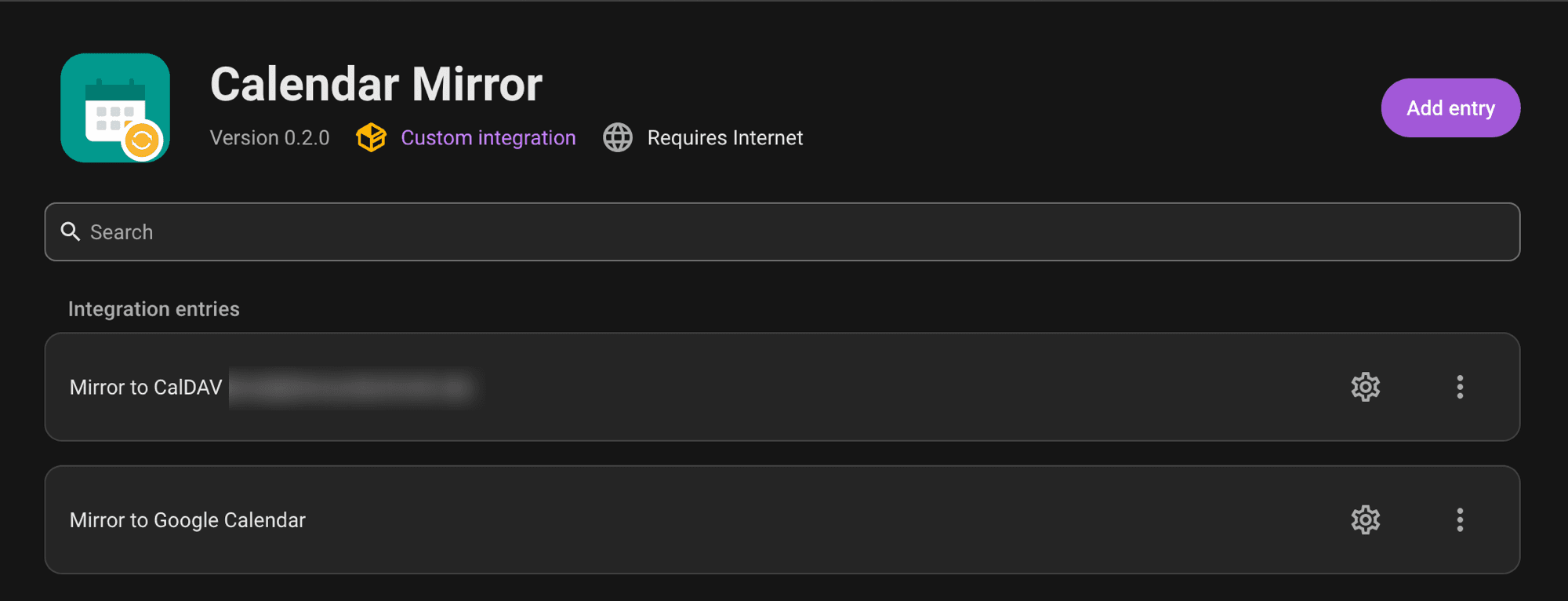
I have several calendars living inside Home Assistant already — a local waste-collection schedule, a shared family calendar — and wanted them visible on an Echo Show. That turned out to be harder than it sounds: an Echo Show only reads natively linked Google, Microsoft, or Apple calendars, nothing arbitrary. Home Assistant can display any calendar it knows about inside itself, but has no built-in way to push that data back out somewhere else. So I built Calendar Mirror, a Home Assistant integration that does exactly that.
The actual gap
There are already good Home Assistant integrations for combining multiple calendars into one — Calendar Merge and Aurora Calendar both do this well. They solve a different problem, though: everything stays inside Home Assistant's own display layer. If you want the data to show up somewhere HA itself doesn't render to — a smart display, a phone's native calendar app, anywhere else — that doesn't help.
The closer option, ha-icalendar, exposes a Home Assistant calendar as a subscribable feed another app can pull. That's a real solution for some cases, but it's a passive one: Google Calendar and Apple Calendar both throttle subscribed feeds to a refresh roughly every 12–24 hours, with no way to force a manual update. An event added or removed in Home Assistant can take the better part of a day to show up or disappear on the other end.
What I wanted was the opposite: Home Assistant actively pushing changes out, on its own timing, with additions and removals actually reflected — not a feed waiting to be re-polled. A community thread turned up someone else with the exact same waste-collection-and-shared-calendar use case, wanting exactly this and not finding it either — so at least two households were after the same thing.
What it does
Calendar Mirror takes one or more calendars already inside Home Assistant and mirrors them into an external calendar of your choice — Google Calendar or a CalDAV account (mailbox.org, Nextcloud, and similar self-hosted or privacy-focused providers all work the same way).
The sync is deliberately one-way: Home Assistant is always the source of truth, and nothing is ever read back from the external calendar into HA. On its own schedule, the integration clears out every event it previously created on the target calendar and rebuilds them fresh from whatever Home Assistant currently has. That has one real consequence worth knowing up front: the target calendar isn't safe to edit by hand. Anything changed directly there — including deleting an event the integration created — gets quietly undone on the next sync, since there's no way for it to know that was intentional rather than stale data. Every synced event gets a 🔒 in its title as a visible reminder of that, since calendar permissions don't offer a real per-event read-only flag to enforce it properly.
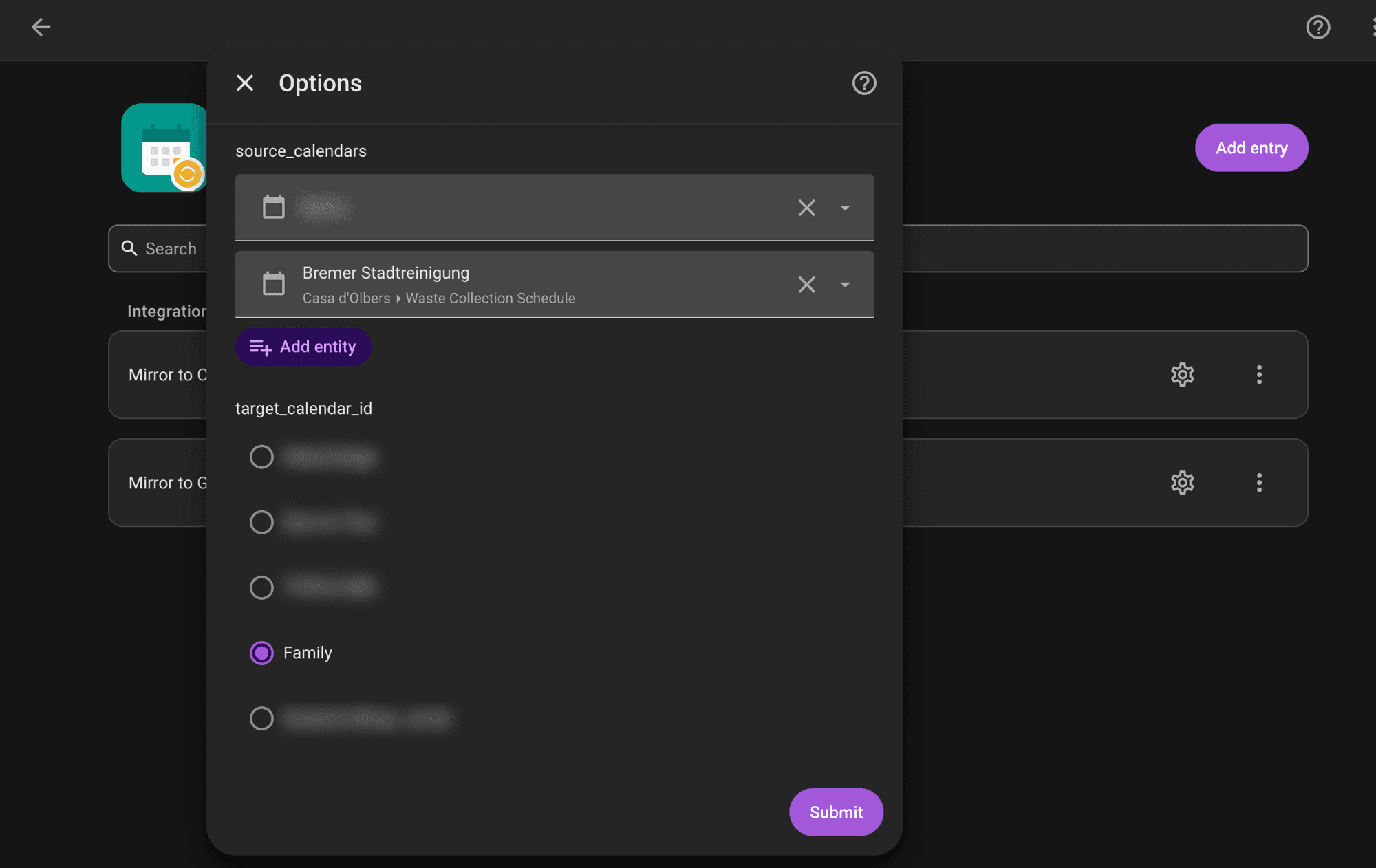
Setup happens entirely through Home Assistant's own UI: pick which calendars to mirror, sign in to (or enter credentials for) the target calendar, and pick which calendar there to sync into. Both of those choices can be changed later without starting over, and if a Google login expires or a CalDAV password changes, Home Assistant prompts you to reconnect rather than silently failing.
Why two backends
Google Calendar covers the Echo Show use case that started this, but plenty of people running Home Assistant also run their own calendar server, or use a provider chosen specifically to keep their data off the big platforms. CalDAV is the open standard that covers most of those — mailbox.org, Nextcloud, and Radicale all speak it — so adding it as a second option meant the same integration works whether your calendar lives with Google or somewhere you control yourself. Each Home Assistant entry picks one target when it's set up, but nothing stops you from running two entries side by side if you want the same source calendars mirrored to both.
Getting it
It's running in production on my own Home Assistant instance today, mirroring both the waste-collection calendar and a shared family calendar out to Google Calendar and to a CalDAV account. Calendar Mirror is installable via HACS as a custom repository: add the GitHub URL under Integrations → Custom repositories, install, restart, and it shows up under Add Integration like anything else.